Move a pile of downloads into one folder, on a Mac
Updated 14 November 20263 minute read
The short answer
Select the files, drag them up to the notch, hold them over More, and let go on Into a new folder, Move to… or a usual folder. Undo puts them all back.
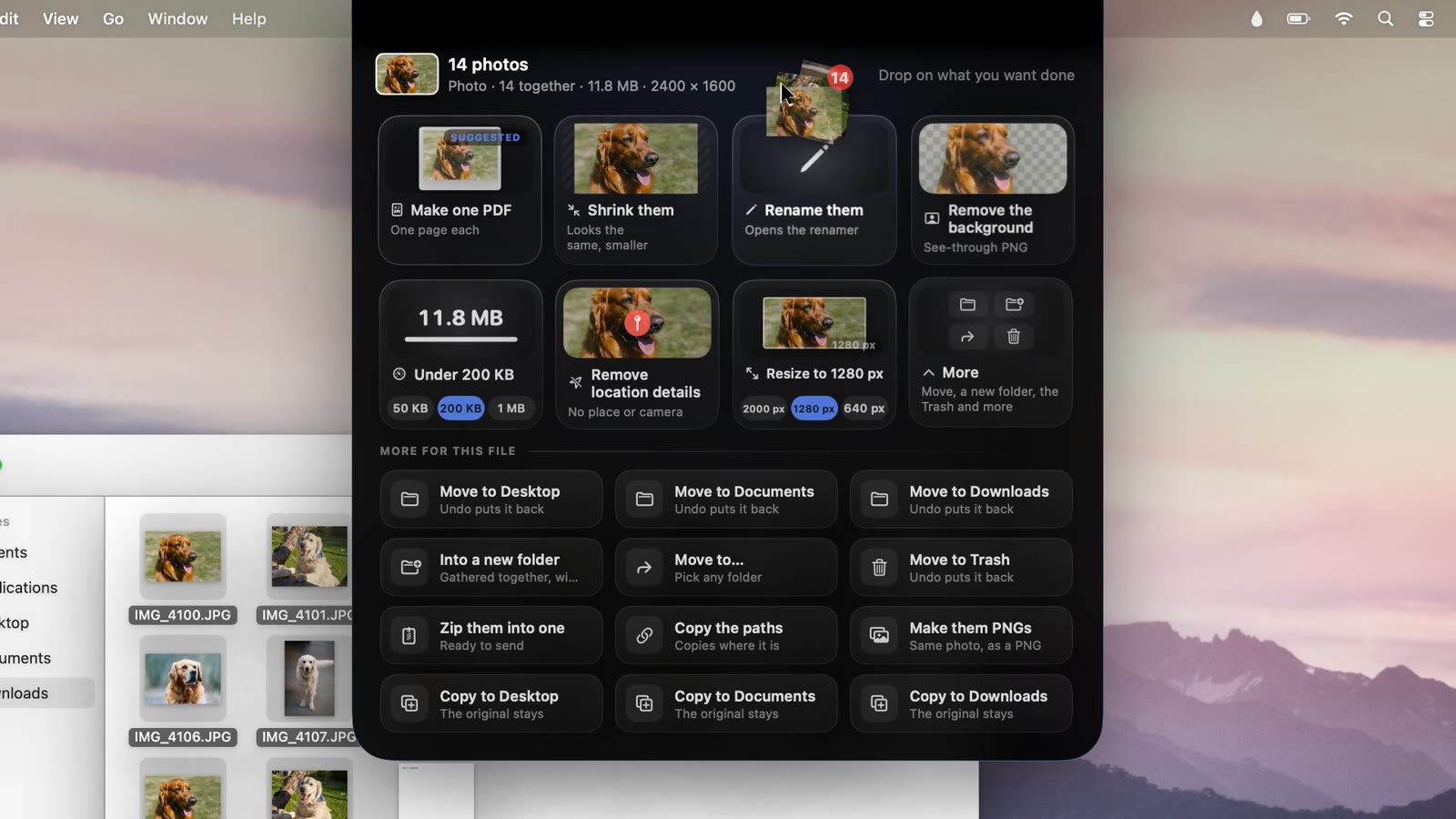
Steps
- Select the files. In Downloads, Command-click each one, Shift-click to take a run of them, or press Command-A for everything.
- Drag them up to the notch. It shows how many you’re carrying, like “14 photos”. The jobs for their kind come first.
- Hold them over More, the last tile. The notch grows to show the jobs for any file.
- Let go on the one you want.
- Into a new folder makes a folder beside them called New Folder With Items, as Finder does, and moves them in. Rename the folder in Finder afterwards.
- Move to… asks where, with a folder picker. Choose Move Here.
- Move to Desktop, Documents or Downloads moves them straight there.
- Move to Trash, or Zip them into one to send them as one file.
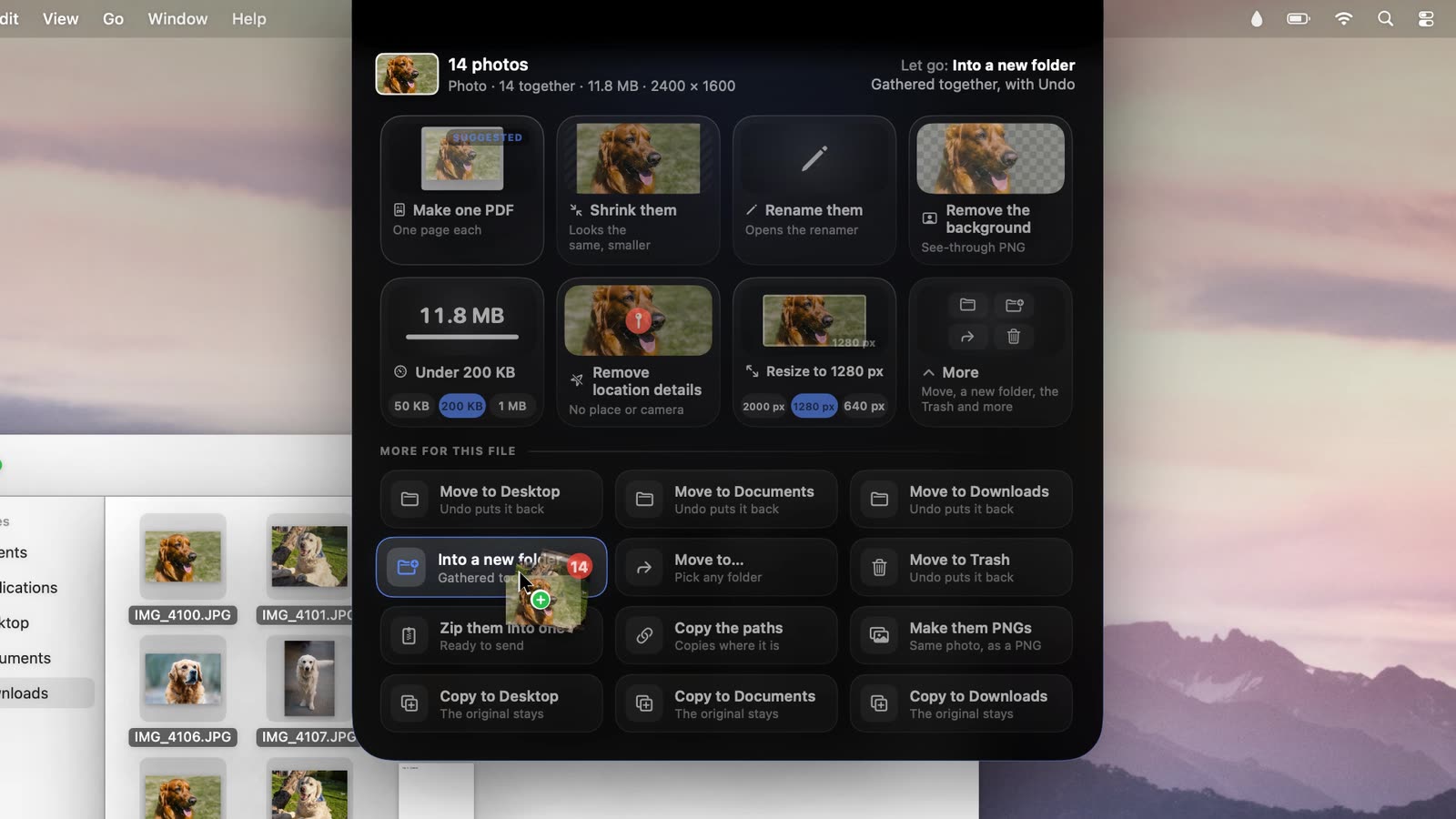
“Let go: Into a new folder. Gathered together, with Undo.” - Changed your mind? Choose Undo while the result is in the notch: the files go back where they were, and the empty folder goes.
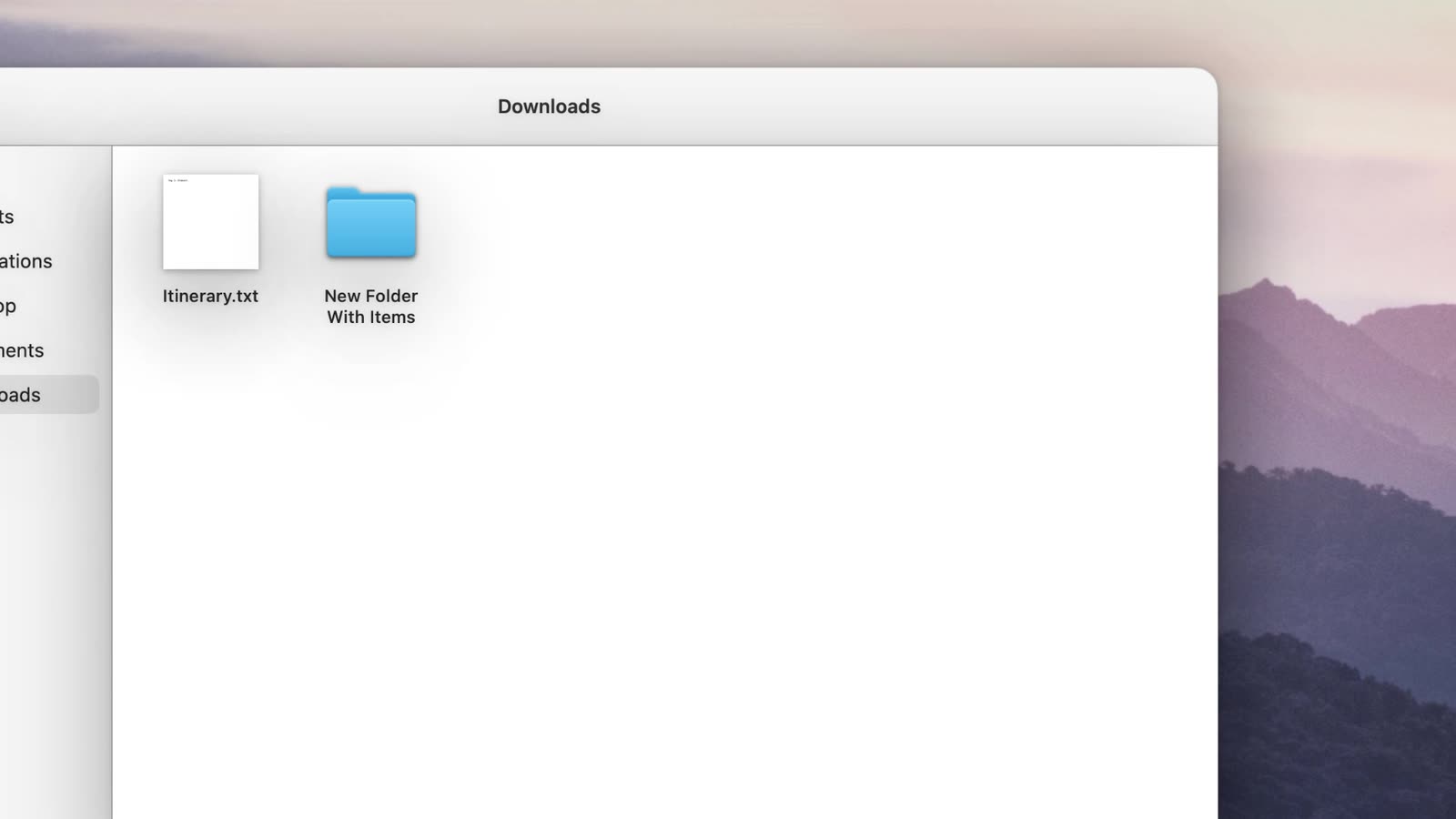
All 14 in one folder.
Good to know
- Any kind of file works, mixed or not: photos, PDFs, zips, installers, documents.
- Copy instead of move: Copy to Desktop, Documents or Downloads leaves the originals where they are.
- Renaming a batch? With several files, Rename them opens a renamer that shows every new name before anything changes.
- The first time Drip moves files in your Desktop, Documents or Downloads folder, macOS asks whether it may. Choose Allow.
Without Drip
Finder does the first one: select the files, Control-click, and choose New Folder with Selection. Drip puts that, Move to…, the usual folders and the Trash in one place for any drag, with Undo.